Weekly focus
Each week CMRE reads your orders and stock and puts the three highest-profit moves at the top of your home screen.
CMRE runs marketing, retention and merchandising for Shopify apparel brands. It reads your store's own orders, picks this week's three most profitable moves, and ships them with approvals built in.
Set up in about an hour by clicking, with no code. Works on desktop, iPhone and Android.
Watch the 3-minute tour for marketing leaders Home · this week Example
Each move is ranked by expected profit, not clicks.
Replace a stack of disconnected tools with one place that knows your products, your customers and your margins.
Each week CMRE reads your orders and stock and puts the three highest-profit moves at the top of your home screen.
Plan, draft and schedule posts across 16 social channels, with tracked links on every post so you see which ones sell.
Welcome, abandoned cart, post-purchase, win-back, review request and more, each tested before it goes live.
Customer tiers, satisfaction surveys, review requests and a wholesale page for boutiques that want to stock your line.
Bundles, free-shipping thresholds and offers checked against your margins, so a discount never quietly loses money.
Approvals, an hourly stock guard, an emergency pause, and paid ads that stay off until your numbers can pay for them.
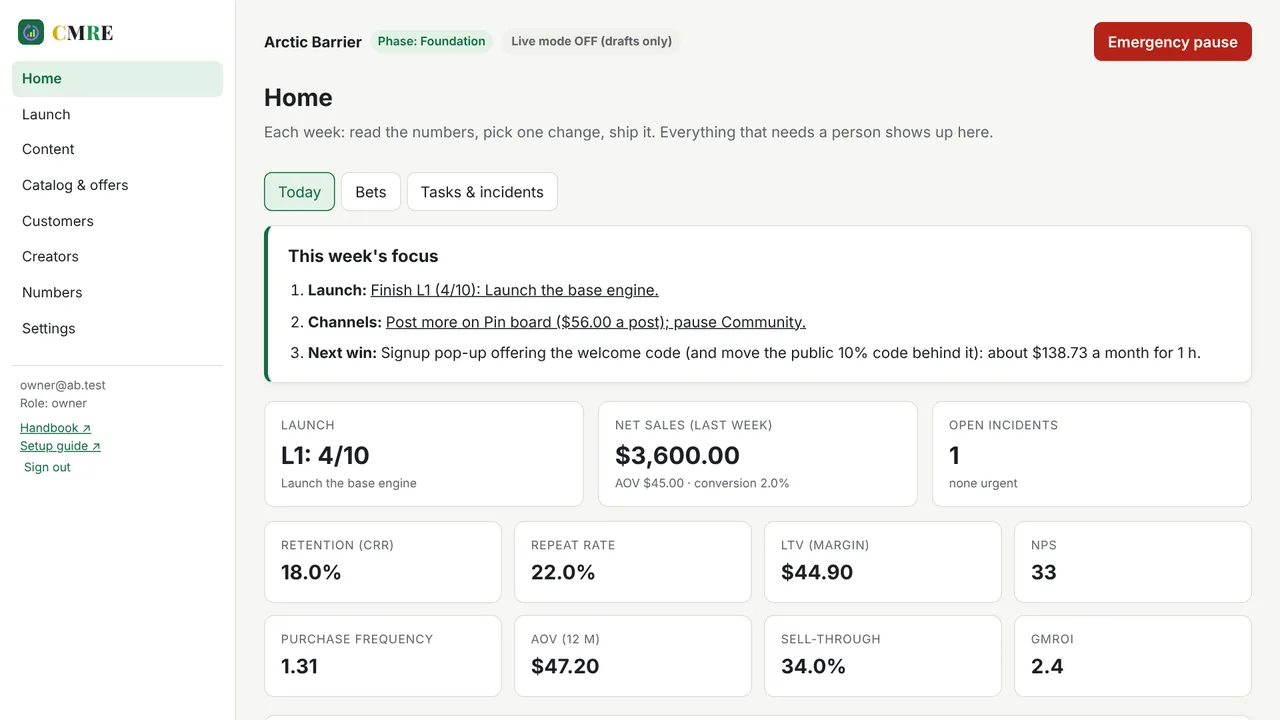
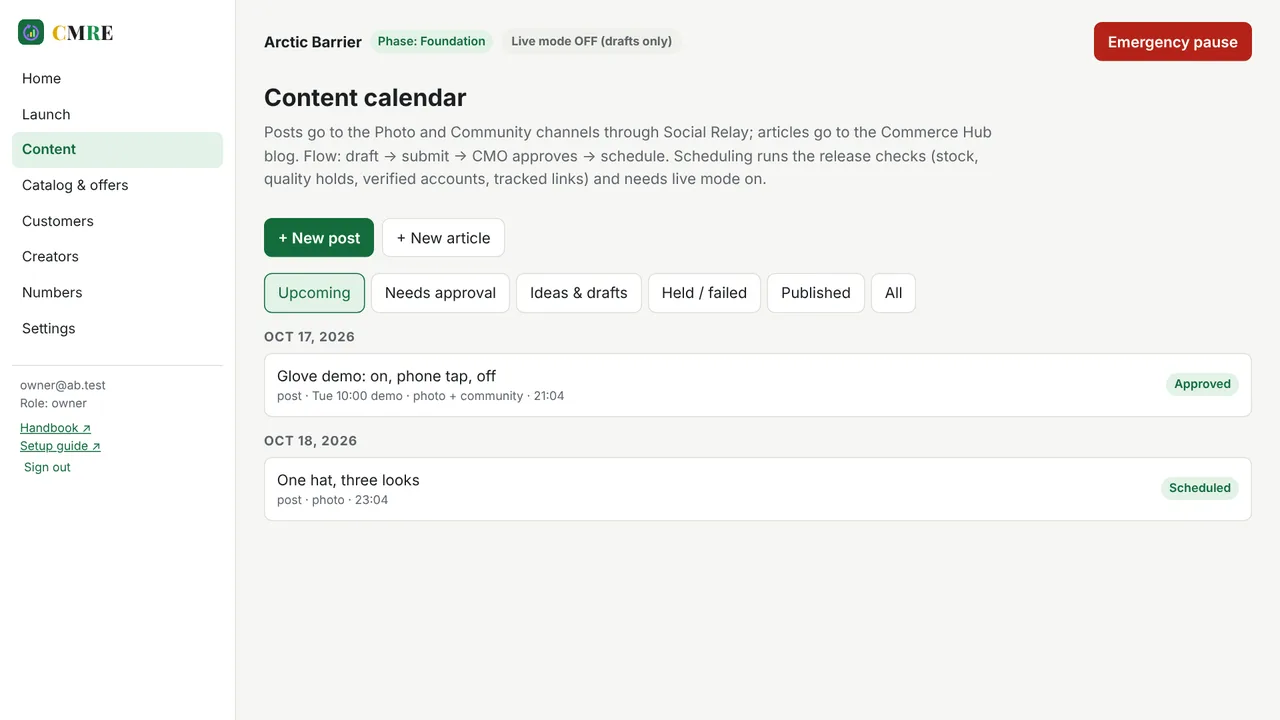
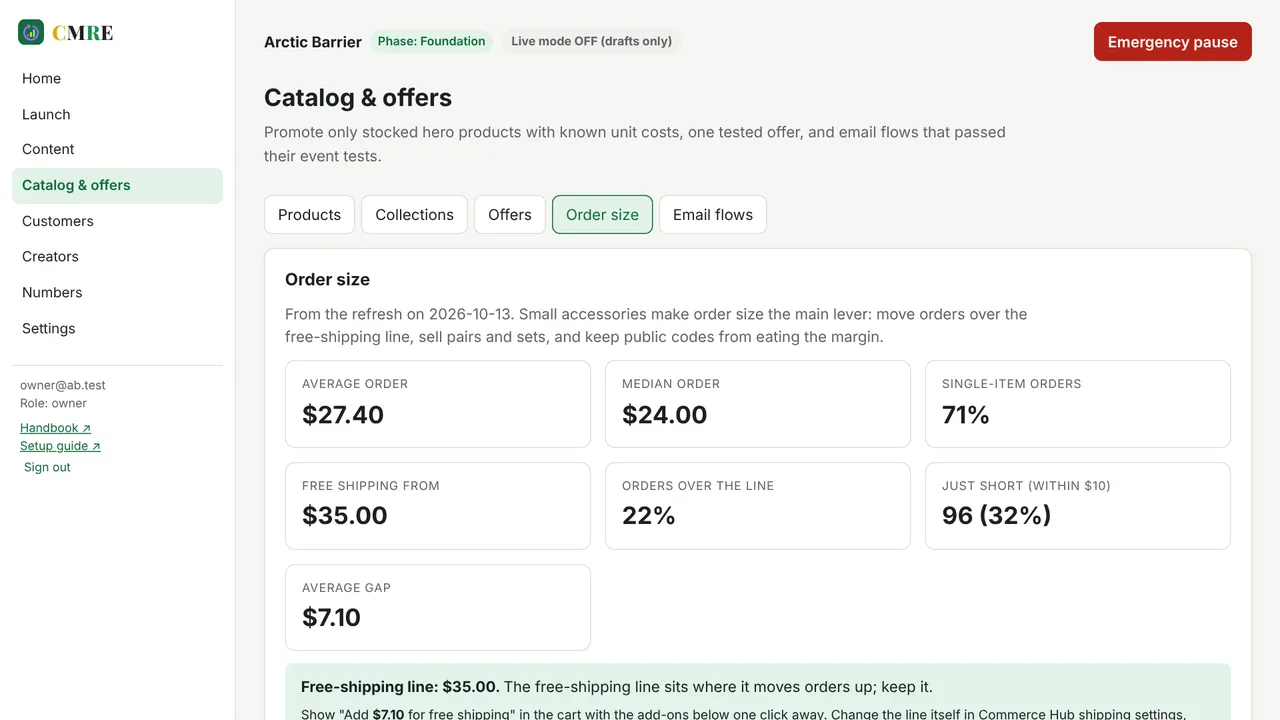
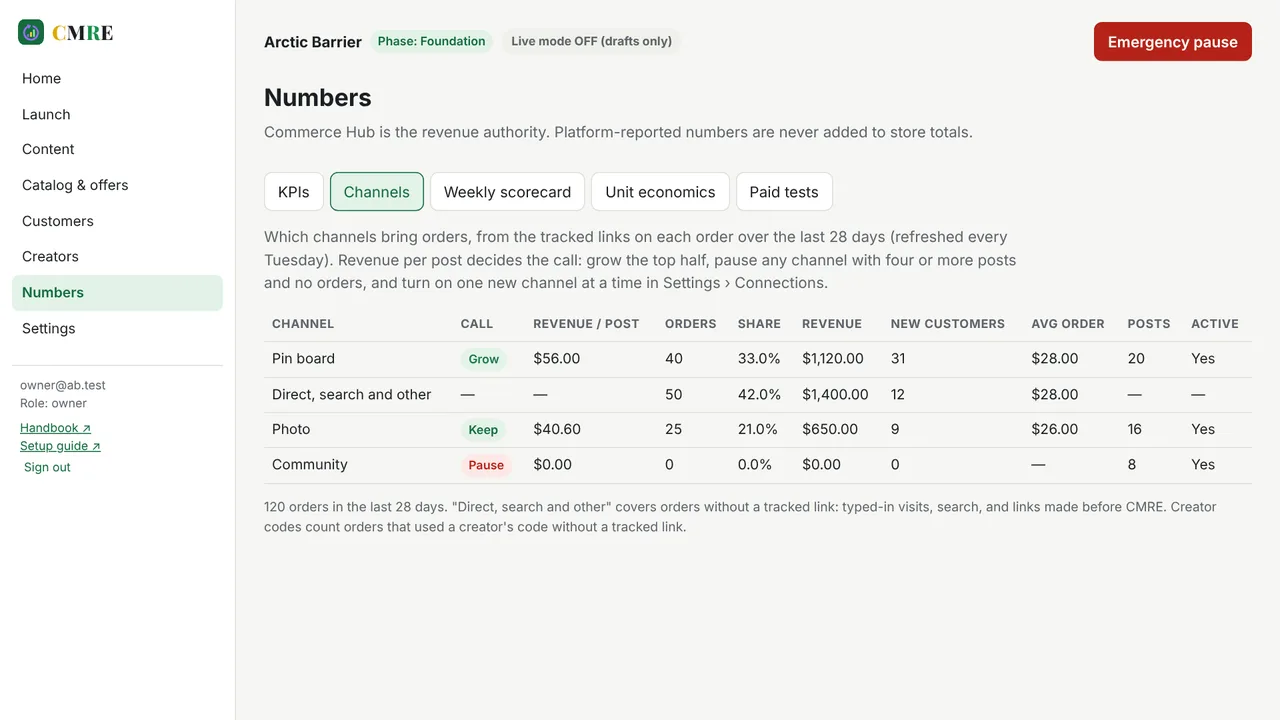
Screens show sample data.
Seasons, sizes, drops and gifting deadlines are part of the model, not afterthoughts.
You keep ownership of your data and can export it at any time.
CMRE reads orders, products and stock, and writes only customer tags and discount codes.
Hosting, database and social scheduling are included in every plan. Agencies can run CMRE on their own accounts instead.
Eleven clickable steps with copy-ready values. No command line, no code.
The owner or CMO who signs off posts, emails and offers before anything goes live.
Everything you get with CMRE, so you can compare like for like.
Plans follow your monthly orders. Hosting, database and social scheduling are included, so there are no other bills to manage.
Up to 500 orders a month
$99per month
500 to 2,000 orders a month
$249per month
Over 2,000 orders a month
$499per month
Agencies, or CMRE on your own accounts
Quoteper brand
Prices in US dollars, before any sales tax.
Link your Shopify store with a few clicks. CMRE reads your products, orders and stock.
Turn on the social channels you use. Start with six and add more when you're ready.
Approve this week's three moves, watch the scorecard, and let the engine learn what sells.
Every workspace is sealed off at the database level, so one team can never see another's customers.
Store and channel keys are encrypted at rest and never shown in the browser after they're saved.
Posts, emails and offers go out only after approval, and one switch pauses everything.
A narrated walkthrough of the screens a marketing leader uses each week.
Watch the tour →Every step from accounts to first post, with direct links and copy-ready values.
Read the guide →Use cases, user stories, architecture, the playbook and the runbook.
Open the handbook →How data is isolated, how keys are stored, and what to do in an incident.
See the runbook →Only what you approve: customer tags for loyalty tiers, discount codes and automatic discounts, customer segments, entries in the store's marketing reports, bundle products you approve, and VIP gift cards. It can also add an event pixel that counts storefront visits. It never edits existing products, prices, themes or checkout.
You do. Your data lives in a database account in your name, each workspace is sealed off at the database level, and you can export or delete it from that account at any time.
Setup takes about an hour. The first weekly focus appears as soon as your store is connected and the first data refresh finishes. Most moves are sized to show a measurable result within a few weeks.
Up to 16 social channel types through one calendar, plus your store's blog. You start with six and add one new channel at a time, once the numbers say it's working.
Email flows run inside your store's own email tool. CMRE keeps the register of six flows, tests each one before it goes live, and writes the customer tags your flows target.
Not by default. Paid media stays paused until your average order and allowable acquisition cost can support a small, capped test, and only the owner can unlock it.
Yes. CMRE installs to the home screen on iPhone and Android and works in any modern browser.
$99 a month for stores with up to 500 orders, $249 for 500 to 2,000, and $499 above that. Hosting, database and social scheduling are included. Annual plans get two months free and free onboarding, and every plan has a 30-day money-back guarantee.
Prefer email? Write to contact@cloudonesoftware.com.
Shopify gives you the tools. CMRE decides which ones to use this week, checks them against your margin, and measures what they earned.
| Shopify tool | What it does in Shopify | What CMRE adds | What CMRE measures |
|---|---|---|---|
| Discounts Connected | Codes and automatic discounts, limited to customer segments. | Creates free-shipping and automatic discounts, creator and VIP codes, and checks every offer against your margin before it goes live. | Code usage, discount cost, impact of public codes |
| Analytics Connected | A dashboard for orders, customers and marketing results. | Turns your orders into a weekly scorecard and the one change to make next, and adds checkout recovery and a storefront funnel. | Retention, repeat rate, purchase frequency, average order, lifetime value, NPS, sell-through, GMROI |
| Segmentation Connected | Customer groups built from behavior. | Writes tier tags (VIP, active, new, at risk, lapsed) and builds a segment for each tier that includes only customers who agreed to email. | Clients and share of revenue in each tier |
| Social sales channels Connected | Sell and advertise on social platforms. | Plans and schedules organic posts across 16 channel types, with a tracked link on every post. | Revenue per post, orders and new customers by channel |
| Blog and SEO Connected | Blog posts, page titles, descriptions and sitemaps. | Plans store articles in the same approval calendar as social posts. | Article schedule and status |
| Marketplaces Connected | List products on Google and other marketplaces. | Checks product data before it hurts your listings. | Feed health score and the products to fix |
| Messaging (email and SMS) Works alongside | Campaigns and automated flows from templates. | Keeps a register of six flows with event tests, and the tier tags your flows target. | Flow test status, email revenue on the scorecard |
| Forms Works alongside | Sign-up forms that grow email and SMS lists. | Sizes a sign-up pop-up as a quick win, in dollars a month. | Sign-up rate against a 3% target |
| Online campaign ads Works alongside | Campaigns that charge when they convert. | Keeps paid media paused until your average order and allowable acquisition cost can support a small, capped test. | Allowable CAC, monthly paid cap, test results |
| Collabs Works alongside | Find and work with influencers. | Scouts creators who already post your brand, and tracks their codes, sales and payouts. | Creator sales, cost and payouts |
| Inbox Works alongside | Customer chat with suggested replies. | Finds buyers, trade buyers and creators in social comments and messages. | Social leads by type |
| Sidekick Works alongside | An AI assistant for emails and segments. | The CMRE Assistant ranks moves by expected profit and reviews drafts before they reach approval. | Expected dollars a month for each move |
Each one is switched on from Settings › Store tools once the store grants its permission. Flow triggers need a Shopify Plus store, bundles need Shopify's bundles feature, and Flow and the storefront funnel use two small extensions installed into your Shopify app once. Shopify Audiences, Shop campaigns, Collabs and Inbox don't currently offer app access, so CMRE works alongside them rather than inside them. Tool names follow Shopify's marketing tools page.
Create your workspace and see your first weekly focus today.